

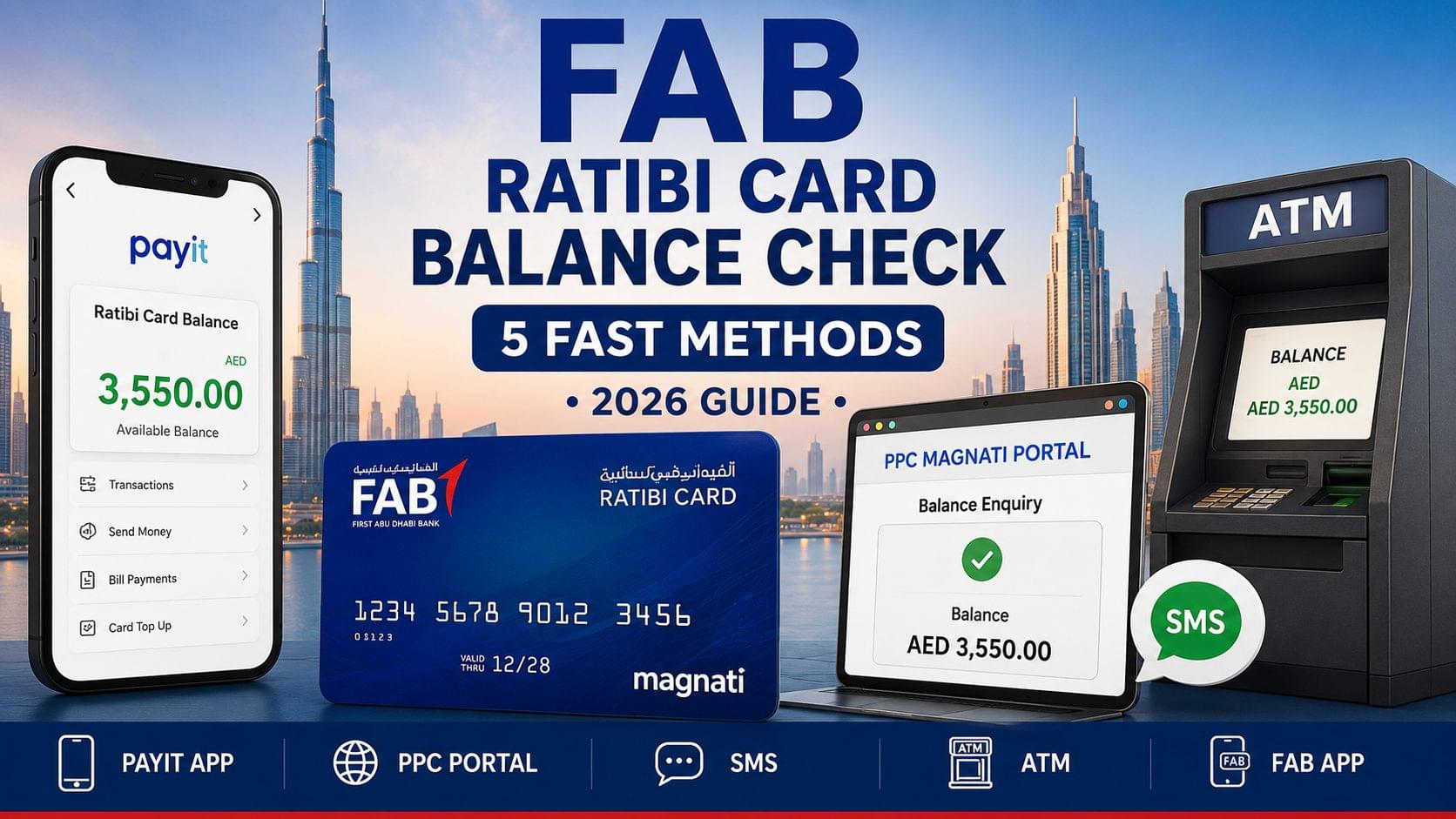
The FAB Ratibi Card balance check is completed through 5 verified methods: the Payit app, the PPC Magnati online portal, SMS to 4488, ATM, and the FAB Mobile App. The FAB Ratibi Card is a WPS-compliant salary prepaid card issued by First Abu Dhabi Bank (FAB) for employees earning AED 5,000 or below per month. All 5 methods return balance information at AED 0 fee, except ATM enquiries at non-FAB machines, which cost AED 2.
What Is the FAB Ratibi Card?
The FAB Ratibi Card is a Wage Protection System (WPS) prepaid salary card issued by First Abu Dhabi Bank, designed for low-income workers across the UAE. It was launched in 2008. FAB distributes salary credits directly to the card through the UAE Central Bank’s WPS framework. Cardholders include domestic workers, construction workers, and retail staff across Dubai, Abu Dhabi, and Sharjah.
The card operates under Magnati, a FAB subsidiary that manages prepaid card processing and the PPC inquiry portal. The Ratibi Card is not a debit card linked to a bank account it is a standalone prepaid salary card. Balance checks are performed through card-specific channels, not through standard FAB bank account portals. For a full overview of FAB’s banking balance check methods, refer to the FAB bank balance check guide.
FAB Ratibi Card Balance Check Methods at a Glance
| Method | Requires Internet | Requires Registration | Fee | Balance Update Time |
| Payit App | Yes | Yes (Payit account) | AED 0 | Instant |
| PPC Magnati Portal | Yes | No | AED 0 | Instant |
| FAB Mobile App | Yes | Yes (Emirates ID) | AED 0 | Instant |
| SMS to 4488 | No | No | Standard SMS rate | Instant |
| ATM | No | No (PIN required) | AED 0 at FAB ATMs / AED 2 at non-FAB | Instant |
How to Check FAB Ratibi Card Balance via the Payit App
To check the FAB Ratibi Card balance via the Payit app, follow these 5 steps:
- Download the Payit app from Google Play Store or Apple App Store.
- Register using the Ratibi Card number and Emirates ID.
- Verify the mobile number linked to the card through an OTP.
- Log in to the Payit dashboard.
- Select “Ratibi Card” from the wallet section the current balance displays immediately.
The Payit app is FAB’s official digital wallet, available in English and Arabic. It displays the current salary balance, last 10 most recent card transactions, and salary credit date. The app also enables Ratibi Card top-up, bill payments, and money transfers. Balance updates appear instantly after salary credit from the employer through the WPS system.
What Does the Payit App Display for Ratibi Card Balance?
The Payit app displays 4 key balance details: current available balance, last credited salary amount, last transaction date, and 30-day transaction history. The Payit app is the most comprehensive Ratibi Card balance check method, delivering balance, salary credit date, and full transaction history in one screen.
How to Check FAB Ratibi Card Balance via the PPC Magnati Portal
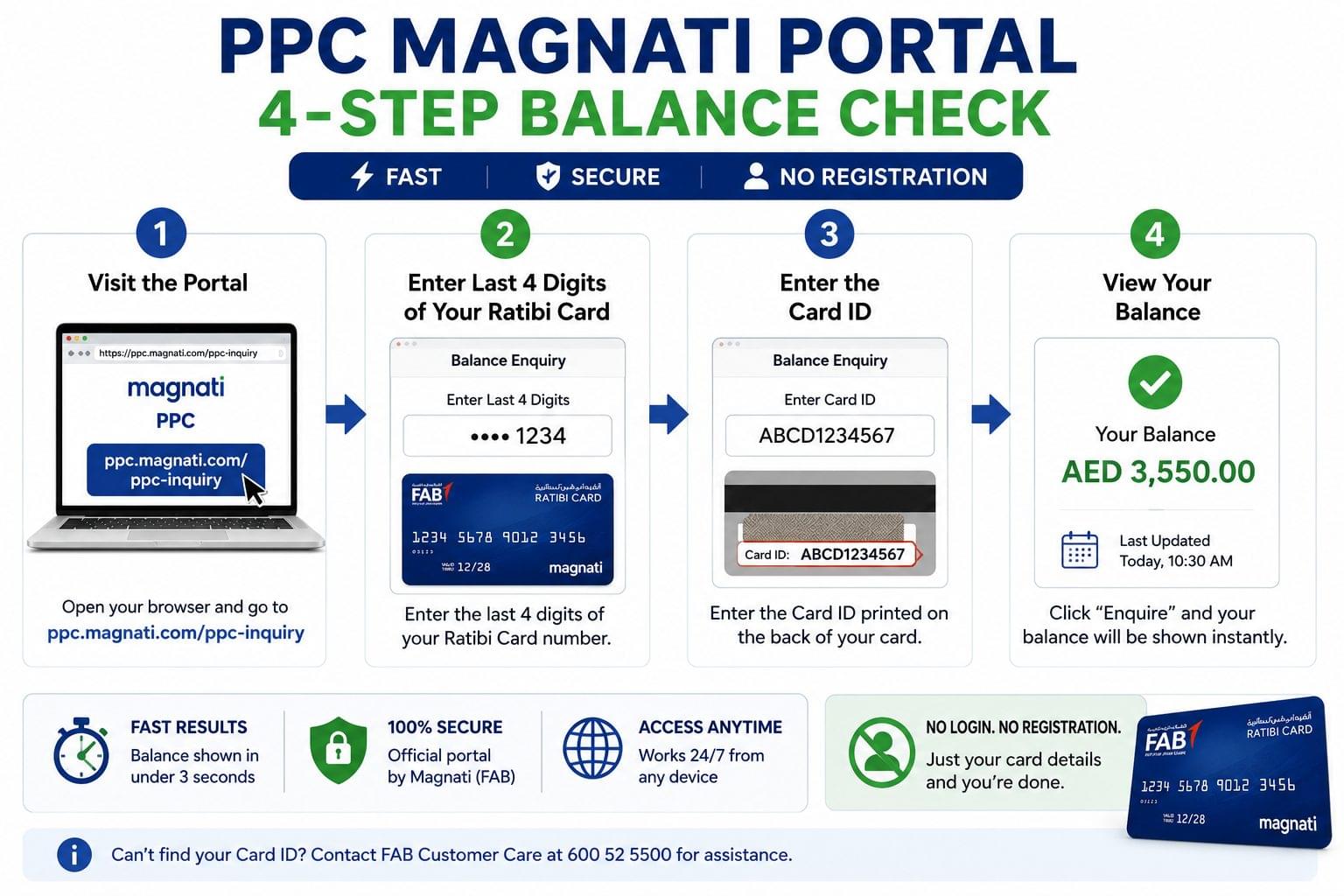
To check the FAB Ratibi Card balance via the PPC Magnati portal, follow these 4 steps:
- Visit ppc.magnati.com/ppc-inquiry on any browser.
- Enter the last 4 digits of the Ratibi Card number.
- Enter the Card ID printed on the back of the card.
- Click “Enquire” the balance displays within 3 seconds.
No registration, login, or mobile number verification is required for the PPC Magnati portal. The PPC Magnati portal requires no login or registration, completing balance enquiries in under 3 seconds. The portal is managed by Magnati, the FAB-owned payment processing subsidiary. For a complete step-by-step guide to this portal across all FAB prepaid cards, refer to the PPC Magnati prepaid card inquiry page.
What Is the PPC Card ID on the FAB Ratibi Card?
The PPC Card ID is a unique alphanumeric identifier printed on the back of the FAB Ratibi Card, below the magnetic strip, separate from the 16-digit card number on the front. Cardholders who cannot locate the Card ID contact FAB customer care at 600 52 5500 for assistance.
How to Check FAB Ratibi Card Balance via SMS
To check the FAB Ratibi Card balance via SMS, follow these 2 steps:
- Send an SMS with the text “BAL” to 4488 from the mobile number registered with the Ratibi Card.
- Receive the balance reply within 30 seconds.
The SMS balance check requires no internet connection, making it accessible to workers in areas with limited data coverage. The registered mobile number is the one provided during card issuance by the employer. Etisalat (e&) and du charge standard SMS rates; FAB does not charge an additional fee for the balance SMS. Workers who need to check their Etisalat prepaid balance separately access the Etisalat balance check guide, and du prepaid users access the du balance check guide.
How to Check FAB Ratibi Card Balance via ATM
To check the FAB Ratibi Card balance via ATM, follow these 5 steps:
- Insert the FAB Ratibi Card into any UAE ATM including FAB, Emirates NBD, ADCB, and Mashreq ATMs.
- Enter the 4-digit PIN.
- Select “Balance Enquiry” from the main menu.
- Choose to display balance on screen or print a mini statement.
- Collect the card and receipt.
The FAB Ratibi Card operates on the UAEFTS network, enabling balance checks at all ATMs across the UAE regardless of the issuing bank. FAB ATMs display balance in AED at AED 0 fee. Non-FAB ATMs charge AED 2 per balance enquiry per the UAE Central Bank’s standard interbank fee structure. Emirates NBD ATM users refer to the Emirates NBD balance check guide for account-specific ATM steps. For a complete guide to ATM-based balance checks across all UAE banks and cards, refer to the ATM balance check UAE guide.
How to Check FAB Ratibi Card Balance via the FAB Mobile App
To check the FAB Ratibi Card balance via the FAB Mobile App, follow these 5 steps:
- Download the FAB Mobile App from Google Play Store or Apple App Store.
- Log in using Emirates ID and registered mobile OTP.
- Navigate to “Cards” in the bottom menu.
- Select “Prepaid Cards” the Ratibi Card appears under linked cards.
- The current balance and last salary credit date display on the card overview screen.
The FAB Mobile App requires Emirates ID verification for first-time login. It supports Arabic and English. The app runs on iOS 13 and above and Android 8.0 and above. Balance shown in the FAB Mobile App matches the balance displayed on the PPC Magnati portal in real time.
FAB Ratibi Card Balance Not Showing? 4 Common Fixes
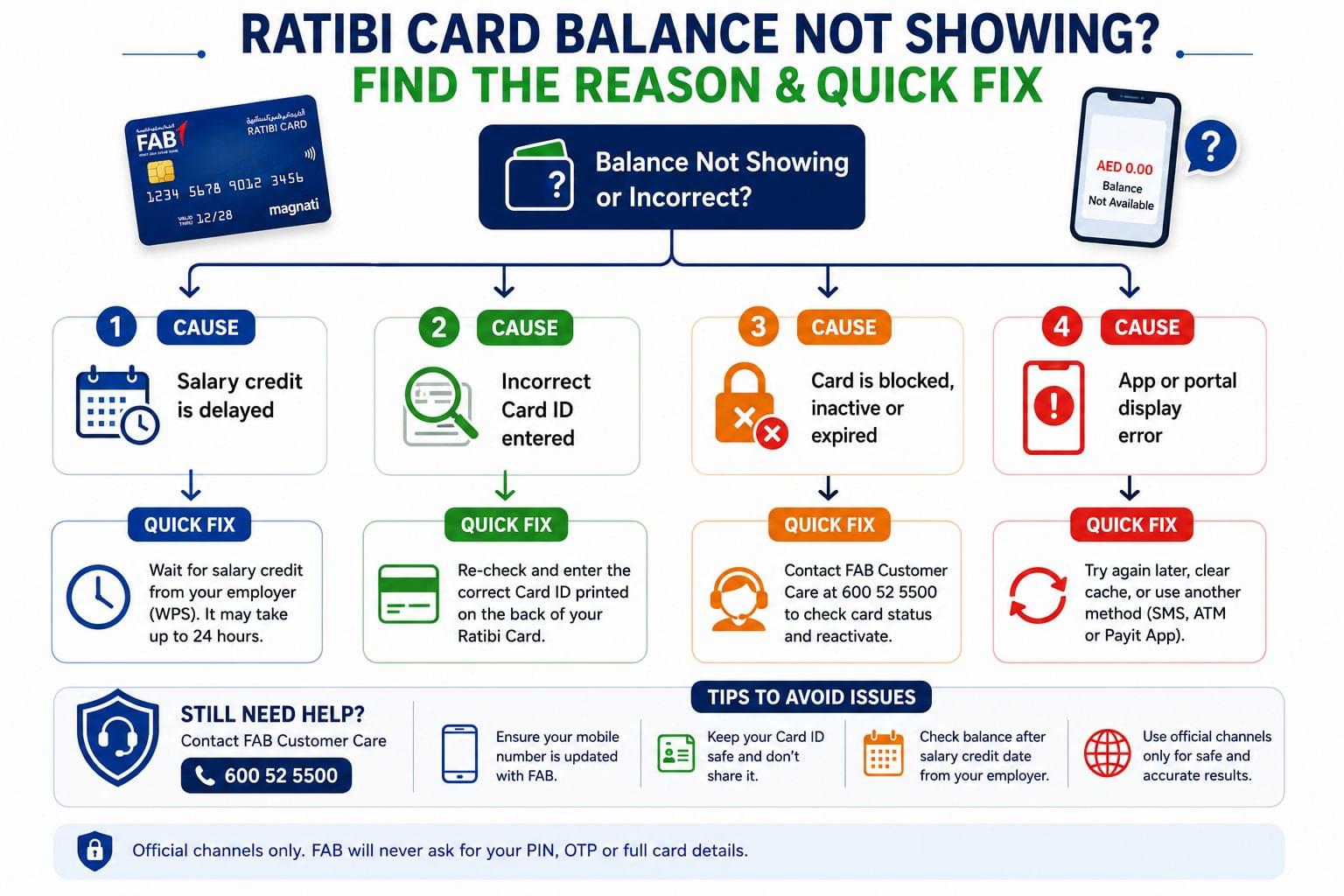
Ratibi Card balance not showing is resolved by identifying 4 specific causes: delayed salary credit, incorrect Card ID entry, a blocked or expired card, and an app display error.
Balance Not Updated After Salary Credit
Ratibi Card salary credit takes up to 2 hours to appear after the employer submits the WPS file. The UAE Central Bank mandates that employers transfer salaries through WPS on the contracted payment date. Contact FAB at 600 52 5500, if the balance shows zero more than 3 hours after the expected salary date. Workers verifying salary credits across WPS-linked cards access the salary check UAE guide for a full multi-card overview.
Wrong Card ID Entered on PPC Magnati Portal
The PPC Magnati portal rejects balance enquiries when the Card ID is entered incorrectly. The Card ID is printed on the back of the Ratibi Card, below the magnetic strip. It differs from the 16-digit card number on the front.
Card Blocked or Expired
The Ratibi Card is blocked after 3 consecutive incorrect PIN entries at an ATM. Card unblocking requires visiting the nearest FAB branch or calling 600 52 5500. Ratibi Cards expire every 3 years the expiry date is printed on the card front in MM/YY format. Cardholders who prefer offline balance check methods during card replacement access the UAE bank balance check without internet guide for alternative options.
Payit App Showing Incorrect Balance
The Payit app balance discrepancy is resolved by logging out and logging back in to force a balance refresh. The PPC Magnati portal balance is used as the reference figure, if the Payit app balance differs from the expected amount. Persistent discrepancies are reported to FAB digital support through the in-app chat or by calling 600 52 5500.
3 Security Tips for FAB Ratibi Card Users
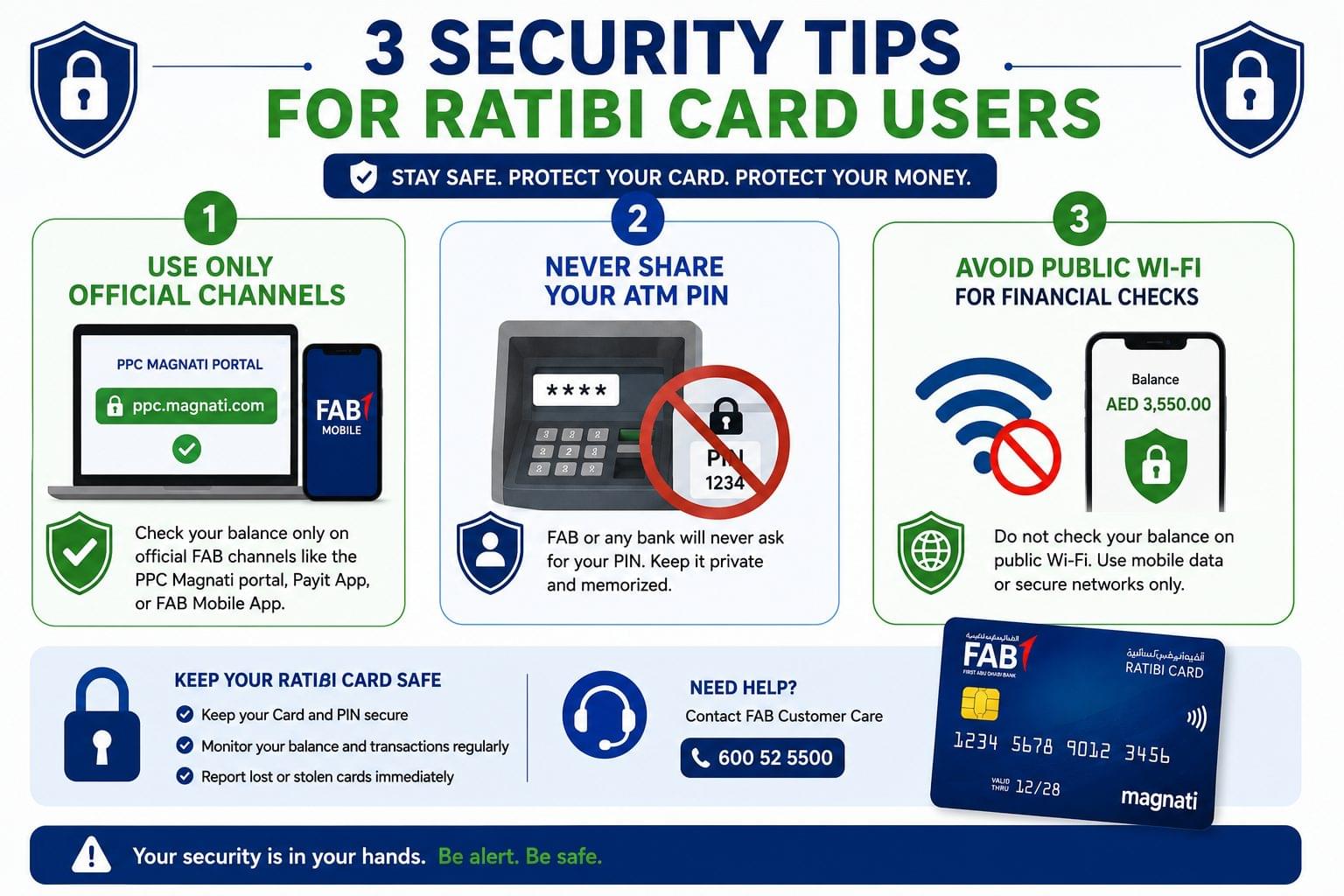
Ratibi Card security is maintained through 3 essential practices:
- Use only ppc.magnati.com for portal-based balance enquiries avoid third-party sites that replicate the portal interface.
- Never share the 4-digit ATM PIN with employers, agents, or third parties FAB and Magnati do not request PIN details over phone or SMS.
- Avoid public WiFi networks when using the Payit app or FAB Mobile App for balance checks use mobile data for secure access.
Frequently Asked Questions About FAB Ratibi Card Balance Check
Does the FAB Ratibi Card balance check cost any fees? The FAB Ratibi Card balance check via Payit app, PPC Magnati portal, SMS, and FAB Mobile App costs AED 0. ATM balance checks at non-FAB machines cost AED 2 per enquiry per UAE Central Bank interbank fee rules.
Is the FAB Ratibi Card the same as a FAB bank account? The FAB Ratibi Card is a standalone WPS prepaid salary card, not a FAB savings or current account. Balance checks use card-specific portals like Payit and PPC Magnati, not the standard FAB online banking login.
Can the FAB Ratibi Card balance be checked from outside the UAE? The Ratibi Card balance is checked from outside the UAE through the Payit app and PPC Magnati portal, as both are internet-based and accessible internationally. The SMS balance check requires a UAE-registered SIM, which limits its use abroad.
What is the minimum balance on the FAB Ratibi Card? The FAB Ratibi Card carries no mandatory minimum balance requirement. The available balance reflects the exact remaining salary amount after all deductions and transactions.
How do employers load salary onto the FAB Ratibi Card? Employers load salary onto the FAB Ratibi Card through the UAE Central Bank’s Wage Protection System (WPS). The employer submits a WPS salary file to their bank, which routes the payment to FAB. FAB credits the net salary amount to the Ratibi Card on the contracted payment date. The credit appears within 2 hours of the WPS file submission.
What happens to the FAB Ratibi Card balance after employment is terminated? The remaining balance on the FAB Ratibi Card is accessible for 90 days after the last salary credit, during which the cardholder withdraws funds via ATM or transfers through the Payit app. After 90 days of inactivity, FAB applies a dormancy review. Cardholders contact FAB at 600 52 5500 to reactivate or claim remaining funds after employment ends.
How is the FAB Ratibi Card different from the PPC Magnati card? The FAB Ratibi Card is the physical WPS prepaid salary card issued by FAB under the Central Bank’s wage protection framework. PPC Magnati is the online balance inquiry portal used to check the balance of the Ratibi Card and other FAB prepaid cards, including gift cards and travel cards.
Which FAB Ratibi Card balance check method works without internet? 2 Ratibi Card balance check methods work without internet: SMS to 4488 and ATM balance enquiry. Both return balance information instantly without a data connection.
Related Balance Checks
Workers managing multiple UAE financial accounts including prepaid salary cards, exchange cards, and telecom SIMs access balance information across all linked services:
- FAB bank balance check full methods for FAB current and savings account balance enquiry
- PPC Magnati prepaid card inquiry portal guide for all Magnati-managed prepaid cards, including gift cards and travel cards
- Lulu Exchange balance check balance enquiry methods for the Lulu Exchange PayPlus WPS salary card
- Al Ansari balance check balance check guide for the Al Ansari Exchange PayPlus card
- UAE prepaid card balance check consolidated hub for all UAE prepaid salary and exchange card balance methods
- Salary check UAE complete guide to verifying salary credits across all WPS-linked cards and accounts
- ATM balance check UAE full guide to checking any UAE card balance at ATMs across all banks
- UAE balance enquiry complete guide to all balance check methods across banks, cards, telecom, and transit in the UAE