

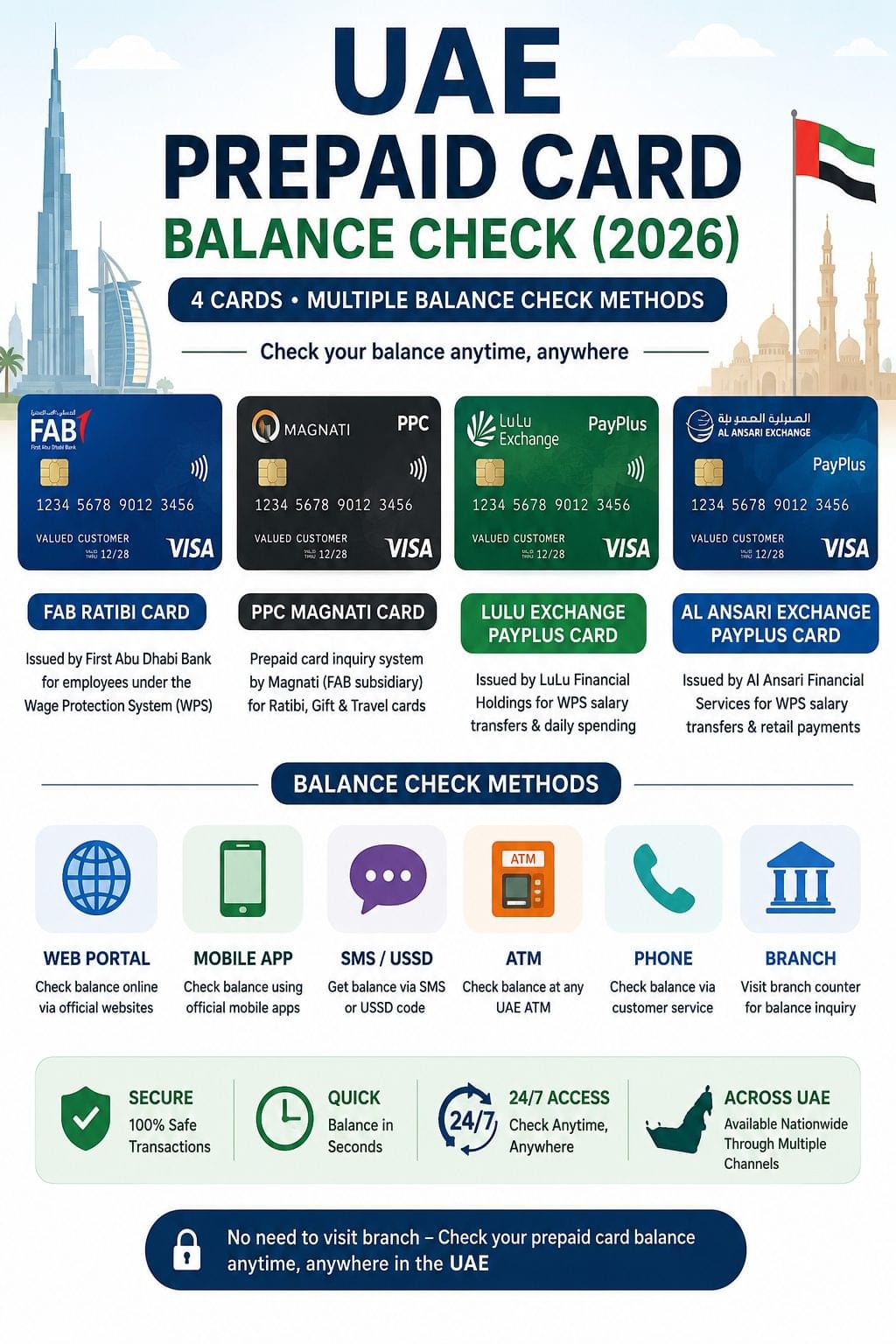
UAE prepaid card balance checks cover 4 card types FAB Ratibi Card, PPC Magnati, Lulu Exchange PayPlus, and Al Ansari Exchange PayPlus with the FAB Ratibi Card offering 5 balance check methods and PPC Magnati, Lulu Exchange, and Al Ansari each offering 4 methods, including online portals, mobile apps, SMS, ATMs, and branch counters. For a full directory of all UAE balance check types, visit the UAE balance check homepage.
What Is a UAE Prepaid Card?
A UAE prepaid card is a stored-value payment card issued by banks or exchange houses to transfer salaries, manage payments, or fund daily transactions without a traditional bank account.
4 prepaid card types operate across the UAE in 2026:
- FAB Ratibi Card issued by First Abu Dhabi Bank for employees earning ≤ AED 5,000 per month under the Wage Protection System (WPS)
- PPC Magnati Card a prepaid card inquiry system operated by Magnati (FAB subsidiary), covering Ratibi, gift, and travel cards via a single online portal
- Lulu Exchange PayPlus Card issued by LuLu Financial Holdings for WPS salary transfers and daily spending
- Al Ansari Exchange PayPlus Card issued by Al Ansari Financial Services for WPS salary transfers and retail payments across the UAE
All 4 cards support balance checks without visiting a branch.
UAE Prepaid Card Balance Check Methods at a Glance
| Card | Web Portal | Mobile App | SMS / USSD | ATM | Counter |
| FAB Ratibi Card | ppc.magnati.com | Payit App | USSD *258# | Yes | FAB Branch |
| PPC Magnati Card | ppc.magnati.com | Payit App | USSD *258# | Yes | FAB/Magnati Counter |
| Lulu Exchange PayPlus | — | LuLu Exchange App | SMS to 4884 | Yes | Lulu Exchange Branch |
| Al Ansari Exchange PayPlus | — | Al Ansari App | — | Yes | Al Ansari Branch |
FAB Ratibi Card Balance Check 5 Methods
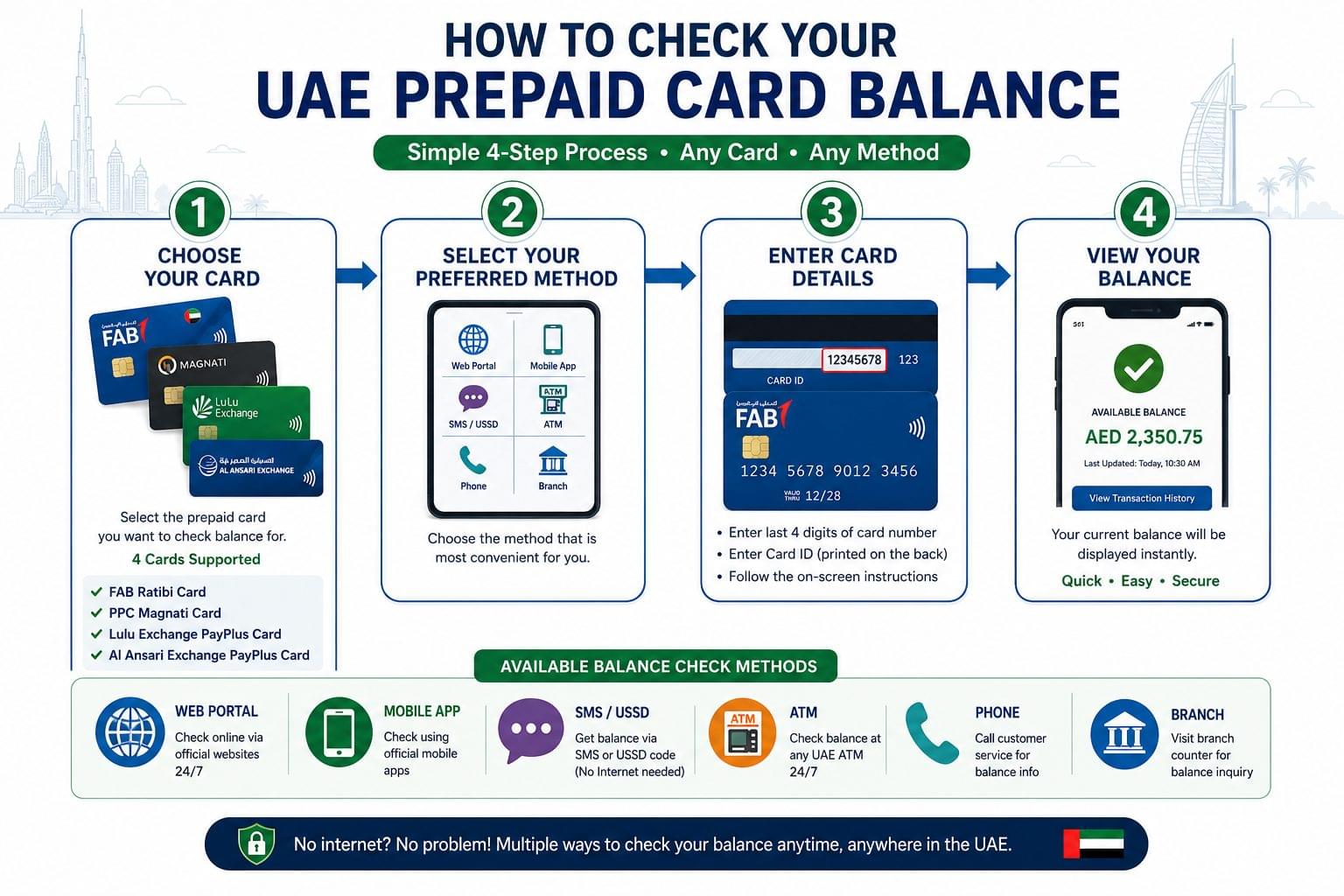
The FAB Ratibi Card balance check uses 5 methods: PPC Magnati online portal, Payit mobile app, USSD code, ATM, and FAB branch counter. For the complete step-by-step guide covering all 5 methods with screenshots, see the FAB Ratibi Card balance check page.
Check FAB Ratibi Balance via PPC Magnati Portal
To check the FAB Ratibi Card balance online, follow these 4 steps:
- Visit ppc.magnati.com/ppc-inquiry
- Enter the last 4 digits of the Ratibi Card number
- Enter the Card ID printed on the back of the card
- Select Enquire the current balance displays instantly
No registration is required. The portal supports English and Arabic.
Check FAB Ratibi Balance via Payit App
To check the FAB Ratibi Card balance via the Payit app, follow these 3 steps:
- Download the Payit app (Google Play or App Store)
- Register with the mobile number linked to the Ratibi Card
- Open the Wallet section the Ratibi balance appears on the dashboard
Balance updates on Payit reflect within 15 minutes of a salary credit.
Check FAB Ratibi Balance via USSD
To check the FAB Ratibi Card balance via USSD, dial *258# from the registered UAE mobile number. The balance displays on screen within seconds internet access is not required. This method works on both Etisalat (e&) and du networks.
Check FAB Ratibi Balance via ATM
To check the FAB Ratibi Card balance at an ATM, follow these 4 steps:
- Insert the Ratibi Card into any UAE ATM FAB, Emirates NBD, ADCB, and Mashreq ATMs all support Ratibi card inquiries
- Enter the 4-digit card PIN
- Select Balance Inquiry from the on-screen menu
- The balance displays on screen and prints on the ATM receipt
ATM balance inquiries are available 24 hours a day at over 1,000 FAB ATM locations across the UAE.
Check FAB Ratibi Balance at FAB Branch Counter
To check the FAB Ratibi Card balance at a branch, follow these 3 steps:
- Visit any FAB bank branch across the UAE
- Present the Ratibi Card and a valid Emirates ID or passport to the teller
- Request a balance inquiry the teller confirms the balance verbally or on a printed slip
FAB branch hours operate Sunday to Thursday, 8:00 AM to 2:00 PM.
PPC Magnati Prepaid Card Inquiry 4 Methods
The PPC Magnati prepaid card inquiry uses 4 methods: the Magnati online portal, Payit app, ATM, and FAB customer service phone line. The PPC Magnati prepaid card inquiry page covers the full portal walkthrough for all 3 card types.
Check PPC Magnati Balance via Portal
To check PPC Magnati balance online, follow these 4 steps:
- Visit ppc.magnati.com
- Select PPC Inquiry from the navigation menu
- Enter the last 4 card digits and the Card ID
- Click Submit the balance, transaction history, and card status display
PPC Magnati covers 3 card types: Ratibi salary cards, prepaid gift cards, and travel cards.
What Information Is Needed for PPC Inquiry?
The PPC Magnati portal requires 2 details: the last 4 digits of the card number and the Card ID printed on the back of the card. No PIN or online banking credentials are required.
Check PPC Magnati Balance via Payit App
To check PPC Magnati card balance via the Payit app, follow these 3 steps:
- Download the Payit app (Google Play or App Store)
- Register with the mobile number linked to the card
- Navigate to Wallet the prepaid card balance displays on the main dashboard
Check PPC Magnati Balance via ATM
To check PPC Magnati prepaid card balance at an ATM, follow these 4 steps:
- Insert the PPC Magnati card into any UAE ATM
- Enter the 4-digit card PIN
- Select Balance Inquiry from the on-screen menu
- The balance displays on screen select print to receive a receipt
The PPC Magnati ATM inquiry supports all 3 card types: Ratibi, gift, and travel cards.
Check PPC Magnati Balance by Phone
To check PPC Magnati prepaid card balance by phone, call FAB customer service at 600 52 5500. Follow these 3 steps:
- Call 600 52 5500 from any UAE or international number
- Select the prepaid card option from the IVR menu
- Enter the card number when prompted the system announces the current balance
The FAB helpline operates 24 hours a day, 7 days a week.
Lulu Exchange Balance Check 4 Methods
The Lulu Exchange PayPlus Card balance check uses 4 methods: mobile app, SMS, ATM, and branch counter. The full step-by-step guide for all 4 methods is available on the Lulu Exchange balance check page.
Check Lulu Exchange Balance via App
To check the Lulu Exchange balance via the mobile app, follow these 3 steps:
- Download the LuLu Exchange app (Google Play or App Store)
- Log in with the registered mobile number and PIN
- Tap My Wallet or PayPlus Card the balance displays immediately
The LuLu Exchange app also shows transaction history, top-up options, and WPS salary credit notifications.
Check Lulu Exchange Balance via SMS
To check the Lulu Exchange PayPlus balance via SMS, send the word BAL to 4884 from the registered mobile number. A return SMS delivers the current balance within 60 seconds. This method operates 24 hours a day. Standard SMS charges apply depending on the UAE telecom provider.
Check Lulu Exchange Balance via ATM
To check the Lulu Exchange PayPlus Card balance at an ATM, follow these 3 steps:
- Insert the Lulu Exchange PayPlus Card into any UAE ATM that accepts Mastercard
- Enter the 4-digit card PIN
- Select Balance Inquiry the balance displays on screen and prints on the ATM receipt
The Lulu Exchange PayPlus Card operates on the Mastercard network and is accepted at all UAE ATMs displaying the Mastercard symbol.
Check Lulu Exchange Balance at Branch Counter
To check Lulu Exchange balance at a branch, visit any Lulu Exchange location across the UAE with the PayPlus Card and a valid Emirates ID or passport. LuLu Financial Holdings operates over 70 Lulu Exchange branches in the UAE. Counter staff confirms the balance on request no internet access or registered mobile number is required.
Al Ansari Exchange Balance Check 4 Methods
The Al Ansari Exchange PayPlus Card balance check uses 4 methods: mobile app, phone helpline, ATM, and branch counter. For the complete method guide with helpline details, see the Al Ansari Exchange balance check page.
Check Al Ansari Balance via App
To check the Al Ansari Exchange balance via the app, follow these 3 steps:
- Download the Al Ansari Exchange app (Google Play or App Store)
- Log in with the registered mobile number
- Navigate to My Cards the PayPlus balance displays with recent transactions
Check Al Ansari Exchange Balance by Phone
To check the Al Ansari Exchange balance by phone, call 800 ANSARI (800 267274). Follow these 3 steps:
- Call 800 267274 from any UAE mobile or landline number
- Follow the IVR prompts and enter the card number and PIN when requested
- The system announces the current balance
The Al Ansari helpline operates 24 hours a day, 7 days a week internet access is not required.
Check Al Ansari Exchange Balance via ATM
To check the Al Ansari Exchange PayPlus Card balance at an ATM, follow these 3 steps:
- Insert the Al Ansari PayPlus Card into any UAE ATM that accepts Mastercard
- Enter the 4-digit card PIN
- Select Balance Inquiry the balance displays on screen and prints on the receipt
The Al Ansari PayPlus Card operates on the Mastercard network and is accepted at all UAE ATMs displaying the Mastercard symbol.
Check Al Ansari Exchange Balance at Branch Counter
To check Al Ansari Exchange balance at a branch, visit any Al Ansari Exchange location with the PayPlus Card and a valid Emirates ID. Al Ansari Financial Services operates over 200 branches across the UAE. Counter staff confirms the current balance on request no online access or registered mobile number is required.
UAE Prepaid Card Balance Not Showing? 4 Common Fixes
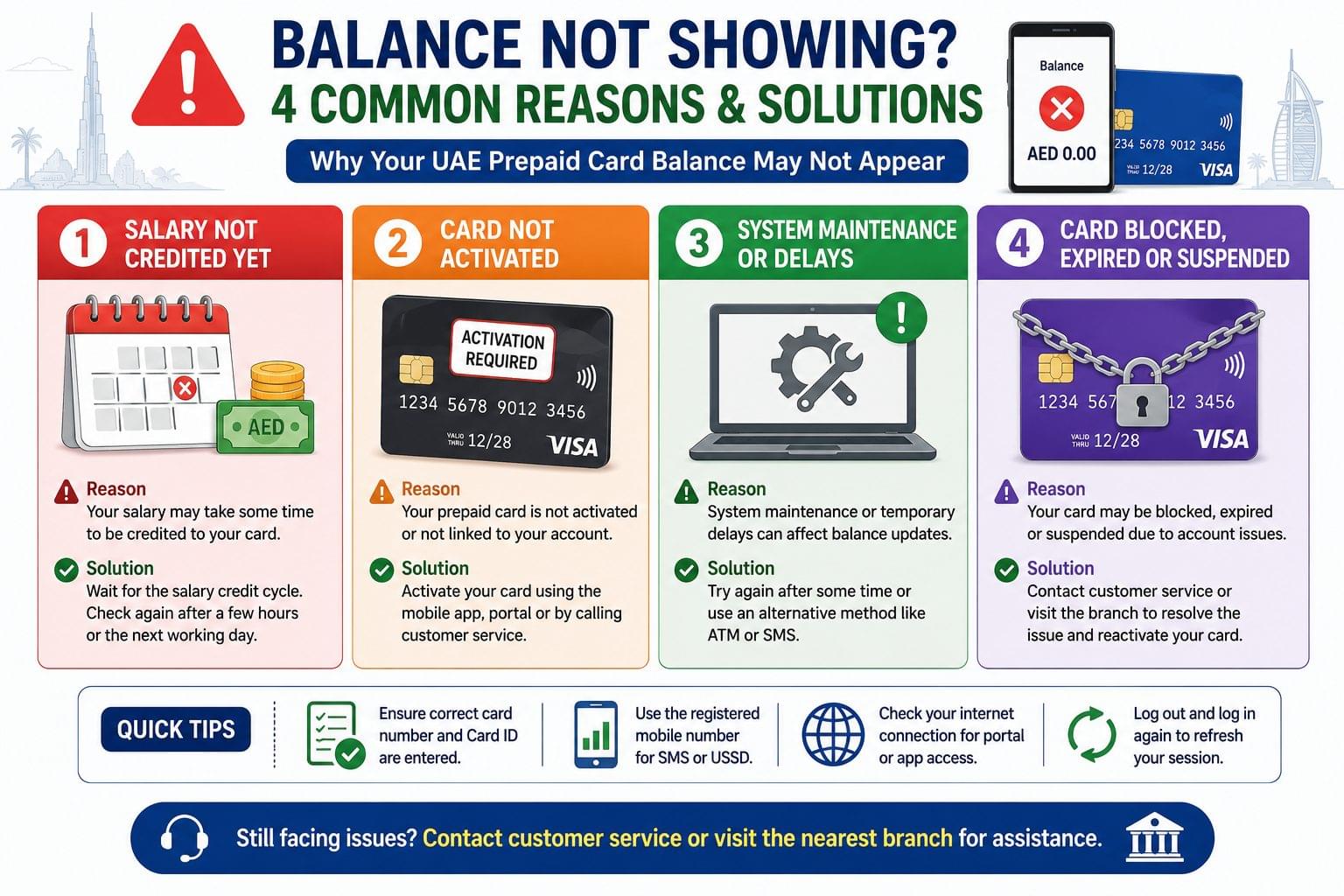
UAE prepaid card balances display incorrectly for 4 common reasons: pending salary credit, card activation delay, system maintenance, or an expired or blocked card.
Salary Not Reflected in Prepaid Card Balance
Prepaid salary card balances update within 2 to 4 hours of WPS salary credit confirmation from the Ministry of Human Resources and Emiratisation (MOHRE). Balances on the PPC Magnati portal and Payit app may show a 15 to 30 minute delay after initial credit posting. Check again after 4 hours before contacting the card issuer. For WPS salary credit verification across all UAE prepaid cards, see the salary check UAE guide.
Card Not Activated
New FAB Ratibi, Lulu Exchange PayPlus, and Al Ansari PayPlus cards require activation within 30 days of issuance. An unactivated card returns a zero balance or an error on portal inquiry. Activate the card via the issuer’s branch, app, or helpline before running a balance check.
Portal or App Maintenance
PPC Magnati, Payit, LuLu Exchange, and Al Ansari apps undergo scheduled maintenance, typically between 2:00 AM and 5:00 AM UAE time. Use the USSD code (*258# for FAB Ratibi and PPC Magnati), ATM balance inquiry, or phone helpline during downtime. For all offline balance check methods across UAE cards and accounts, see the UAE bank balance check without internet guide.
Card Blocked or Expired
Blocked or expired prepaid cards return a zero balance or an error message on all digital channels. Contact the card issuer directly to unblock or renew:
- FAB Ratibi and PPC Magnati 600 52 5500
- Lulu Exchange 04 212 2200
- Al Ansari Exchange 800 267274
Comparison All 4 UAE Prepaid Cards at a Glance
All 4 UAE prepaid cards provide free balance checks across multiple methods, with key differences in web portal availability, SMS support, and customer service access.
| Feature | FAB Ratibi | PPC Magnati | Lulu PayPlus | Al Ansari PayPlus |
| Issuer | FAB / Magnati | FAB / Magnati | LuLu Financial Holdings | Al Ansari Financial Services |
| WPS Compliant | Yes | Yes | Yes | Yes |
| Web Portal | ppc.magnati.com | ppc.magnati.com | — | — |
| Mobile App | Payit | Payit | LuLu Exchange App | Al Ansari App |
| SMS / USSD | USSD *258# | USSD *258# | SMS to 4884 | — |
| ATM | Yes | Yes | Yes (Mastercard) | Yes (Mastercard) |
| Counter | FAB Branch | FAB/Magnati | Lulu Exchange Branch | Al Ansari Branch |
| No-Internet Method | USSD *258# | ATM | ATM | ATM / 800 267274 |
| Customer Service | 600 52 5500 | 600 52 5500 | 04 212 2200 | 800 267274 |
| Balance Check Fee | None | None | None | None |
Frequently Asked Questions UAE Prepaid Card Balance Check
Which UAE prepaid card balance check method works without internet? The FAB Ratibi and PPC Magnati USSD code *258# delivers balance information without internet access. Al Ansari Exchange balance is available via 800 267274 without internet. All 4 UAE prepaid cards support ATM balance inquiries, which also require no internet connection. The ATM balance check UAE guide covers all ATM networks and steps across UAE banks and prepaid cards.
How long does it take for salary to appear on a UAE prepaid card? Salary credits appear on UAE WPS prepaid cards including FAB Ratibi, Lulu Exchange PayPlus, and Al Ansari PayPlus within 2 to 4 hours of employer WPS file submission confirmation from the Ministry of Human Resources and Emiratisation (MOHRE).
Can UAE prepaid card balance be checked from outside the UAE? FAB Ratibi and PPC Magnati balances are checkable from outside the UAE via the ppc.magnati.com portal and the Payit app, provided internet access is available. SMS and USSD methods require an active UAE network connection. Lulu Exchange and Al Ansari balances are accessible via their respective apps from any country with internet access.
Is there a minimum balance requirement on UAE prepaid cards? FAB Ratibi Cards operate at any positive balance no minimum balance is required for transactions or balance inquiries. Lulu Exchange and Al Ansari PayPlus cards have no published minimum balance requirement for standard balance checks.
What is the difference between FAB Ratibi Card and PPC Magnati? The FAB Ratibi Card is a physical WPS salary card issued to employees earning ≤ AED 5,000 per month. PPC Magnati is the online balance inquiry portal operated by Magnati a FAB subsidiary that processes balance checks for Ratibi, gift, and travel prepaid cards through a single interface. The Ratibi Card is the product; PPC Magnati is the inquiry system.
How to check Al Ansari Exchange balance via SMS? Al Ansari Exchange balance is available via the Al Ansari Exchange app or by calling 800 267274 Al Ansari does not offer an SMS balance check code as of 2026.
Related Balance Checks
- FAB bank balance check FAB current and savings account balances, separate from Ratibi prepaid card balances
- FAB Ratibi Card balance check all 5 methods with step-by-step instructions
- PPC Magnati prepaid card inquiry full portal walkthrough covering Ratibi, gift, and travel card types
- Lulu Exchange balance check full Lulu PayPlus guide with SMS, app, ATM, and counter steps
- Al Ansari Exchange balance check full PayPlus guide with app, phone, ATM, and counter steps
- Salary check UAE verify WPS salary credit across all UAE prepaid and bank accounts
- ATM balance check UAE complete ATM guide for all UAE banks and prepaid cards
- UAE bank balance check without internet offline balance methods for all UAE accounts and cards