

Millions of UAE residents check their Emirates NBD account balance daily across 6 channels mobile app, online banking, SMS banking, IVR phone banking, ATM, and branch yet most rely on a single method that fails when internet access is unavailable, the app malfunctions, or ATM queues are long.
Emirates NBD, a publicly listed banking group headquartered in Dubai and majority-owned by the Investment Corporation of Dubai, provides 6 official balance enquiry channels for personal and business account holders across the UAE.
Readers searching for “NBAD balance check” or “NBAD bank balance enquiry” find 2 distinct situations explained in this guide: former NBAD customers now served by First Abu Dhabi Bank (FAB), and Emirates NBD customers who search using the “NBD” abbreviation.
What Is Emirates NBD Balance Enquiry?
Emirates NBD balance enquiry is the process of retrieving the current account balance, available funds, and transaction status from an Emirates NBD account through one of 6 official channels provided by the bank.
Emirates NBD operates personal current accounts, savings accounts, salary accounts, fixed deposit accounts, and credit card accounts. Each account type supports balance enquiry through all 6 channels listed in this guide.
How to Check Emirates NBD Balance
Emirates NBD balance is checked through 6 methods: the Emirates NBD mobile app, the Emirates NBD online banking portal at emiratesnbd.com, SMS banking by texting to the bank’s registered short code, IVR phone banking at 600 54 0000, Emirates NBD ATMs, and in-person at any Emirates NBD branch across the UAE.
6 Official Emirates NBD Balance Check Methods in 2026
Emirates NBD provides 6 balance enquiry channels for account holders, including the mobile app, online banking portal, SMS banking, IVR phone banking, ATM network, and branch service.
Method 1: Emirates NBD Mobile App Balance Check
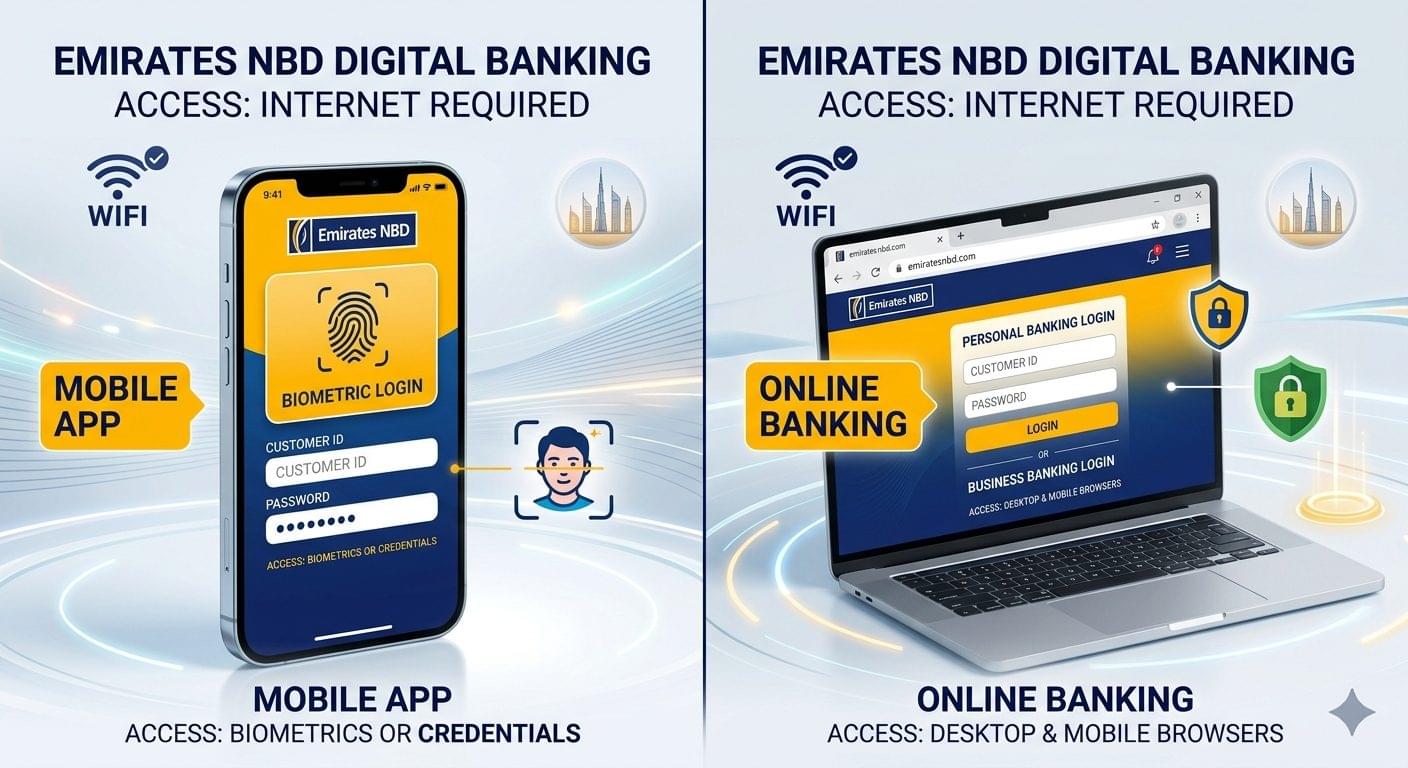
Emirates NBD mobile app balance check displays the current account balance and available balance on the home screen dashboard immediately after login.
The Emirates NBD mobile banking app is available on the Apple App Store and the Google Play Store. It supports biometric login, including Face ID and fingerprint authentication, for registered users.
Steps to check Emirates NBD balance via the mobile app:
- Open the Emirates NBD mobile banking app
- Log in using the registered Customer ID and password, or biometric authentication
- View the account balance on the home screen dashboard
- Tap the specific account to view the available balance, ledger balance, and recent transactions separately
The app displays balances for current accounts, savings accounts, fixed deposit accounts, and credit card accounts in a single dashboard view.
Requirements for mobile app balance check:
- Active Emirates NBD mobile banking registration
- Compatible smartphone with the Emirates NBD app installed
- Active internet connection via Wi-Fi or mobile data
Method 2: Emirates NBD Online Banking Balance Check
Emirates NBD online banking balance check is performed through the Personal Internet Banking or Business Internet Banking portal at emiratesnbd.com.
Steps to check Emirates NBD balance via online banking:
- Visit emiratesnbd.com
- Select “Login” and choose “Personal Banking” or “Business Banking”
- Enter the registered Customer ID and password
- Navigate to “My Accounts” to view balances for all linked Emirates NBD accounts
Online banking provides balance details alongside transaction history, account statements, fund transfer records, and standing order summaries accessible from any desktop or mobile browser without the need to install the app.
Method 3: Emirates NBD SMS Balance Enquiry
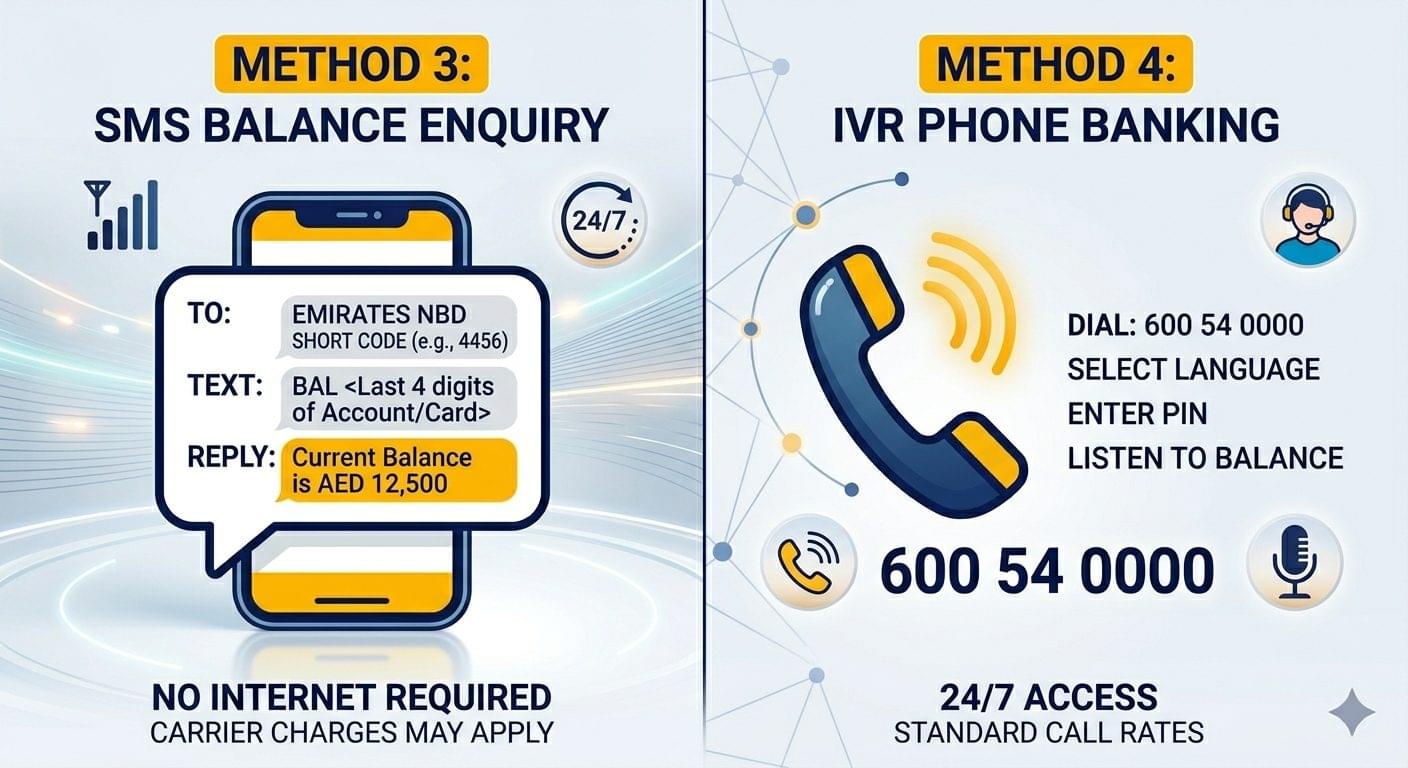
Emirates NBD SMS balance enquiry delivers the registered account balance as a text message to the mobile number linked to the Emirates NBD account, without requiring an internet connection.
Steps to check Emirates NBD balance via SMS:
- Open the SMS application on the mobile number registered with Emirates NBD
- Compose the SMS balance enquiry command as specified in the Emirates NBD SMS banking guide (available at emiratesnbd.com)
- Send the message to the Emirates NBD SMS banking short code provided at registration
- Receive the balance confirmation SMS on the registered mobile number
SMS banking operates 24 hours a day, 7 days a week, and functions on any mobile network in the UAE, including du and Etisalat (e&).
Activate SMS banking through the Emirates NBD mobile app, online banking portal, or by visiting any Emirates NBD branch, if the service is not yet linked to the registered mobile number.
Note: The exact SMS command format and short code are confirmed during SMS banking activation and are published on Emirates NBD’s official website at emiratesnbd.com. Always use the bank’s official documentation for the current command format to avoid errors.
Method 4: Emirates NBD IVR Phone Banking Balance Enquiry
Emirates NBD IVR balance enquiry is available by calling 600 54 0000, the official Emirates NBD 24/7 phone banking line, through the automated Interactive Voice Response (IVR) system.
Steps to check Emirates NBD balance via IVR phone banking:
- Dial 600 54 0000 from any UAE landline or mobile number
- Select the preferred language Arabic or English
- Select the account balance option from the IVR menu
- Enter the registered IVR PIN when prompted
- Listen to the balance details for all registered Emirates NBD accounts
IVR phone banking provides balance information for current accounts, savings accounts, credit card accounts, and loan accounts. The automated system reads balances in UAE Dirhams (AED).
The IVR PIN is a 4-digit code separate from the online banking password. Set or reset the IVR PIN at any Emirates NBD ATM using the debit card, or by visiting an Emirates NBD branch.
Callers from outside the UAE reach Emirates NBD phone banking at +971 4 631 0000.
Method 5: Emirates NBD ATM Balance Check
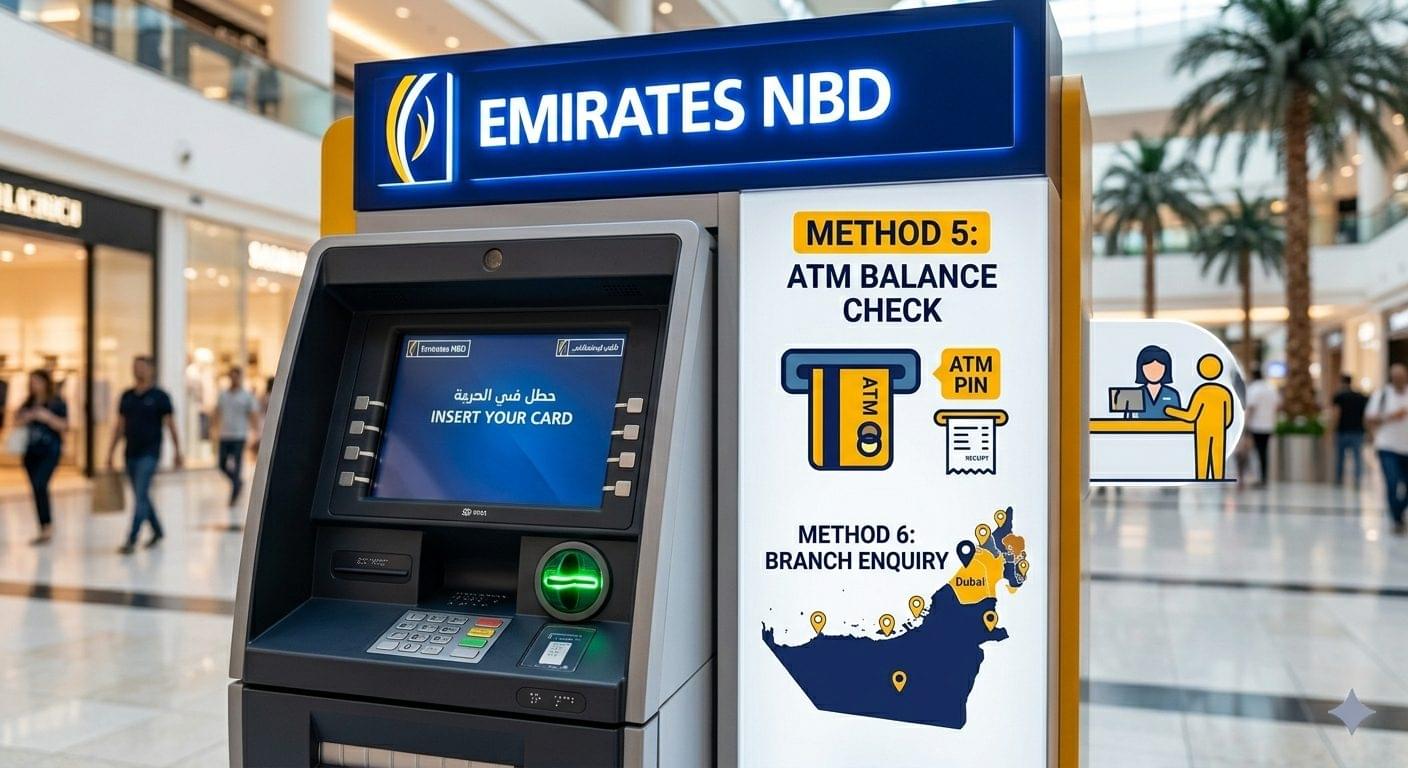
Emirates NBD ATM balance check is available at Emirates NBD ATMs located across all 7 UAE emirates, including Dubai, Abu Dhabi, Sharjah, Ajman, Ras Al Khaimah, Fujairah, and Umm Al Quwain.
Steps to check Emirates NBD balance via ATM:
- Insert the Emirates NBD debit card or credit card into the ATM
- Enter the 4-digit ATM PIN
- Select “Balance Enquiry” from the main menu
- Choose “Screen” to view the balance on-screen or “Print” to receive a printed receipt
Emirates NBD charges no fee for balance enquiries performed at Emirates NBD ATMs. Balance enquiries at non-Emirates NBD ATMs attract fees as per Emirates NBD’s current fee schedule, published at emiratesnbd.com/en/personal/rates-and-fees.
Method 6: Emirates NBD Branch Balance Enquiry
Emirates NBD branch balance enquiry is processed at any Emirates NBD branch across the UAE by presenting a valid Emirates ID and the registered account details to a bank teller.
Branch balance enquiry accommodates complex account types, including joint accounts, corporate accounts, and accounts with restricted digital access. Emirates NBD branches operate from Sunday to Thursday during standard banking hours, with select branches maintaining extended or Saturday hours confirmed at emiratesnbd.com/en/locate-us.
Comparison of Emirates NBD Balance Check Methods
| Method | Internet Required | Available 24/7 | Fee |
| Mobile App | Yes | Yes | Free |
| Online Banking | Yes | Yes | Free |
| SMS Banking | No | Yes | Free (mobile carrier charges may apply) |
| IVR Phone Banking (600 54 0000) | No | Yes | Free |
| ATM Emirates NBD Network | No | Yes | Free |
| ATM Non-Emirates NBD Network | No | Yes | Per bank fee schedule |
| Branch Visit | No | No | Free |
What Is NBAD Balance Check? NBAD vs Emirates NBD Explained
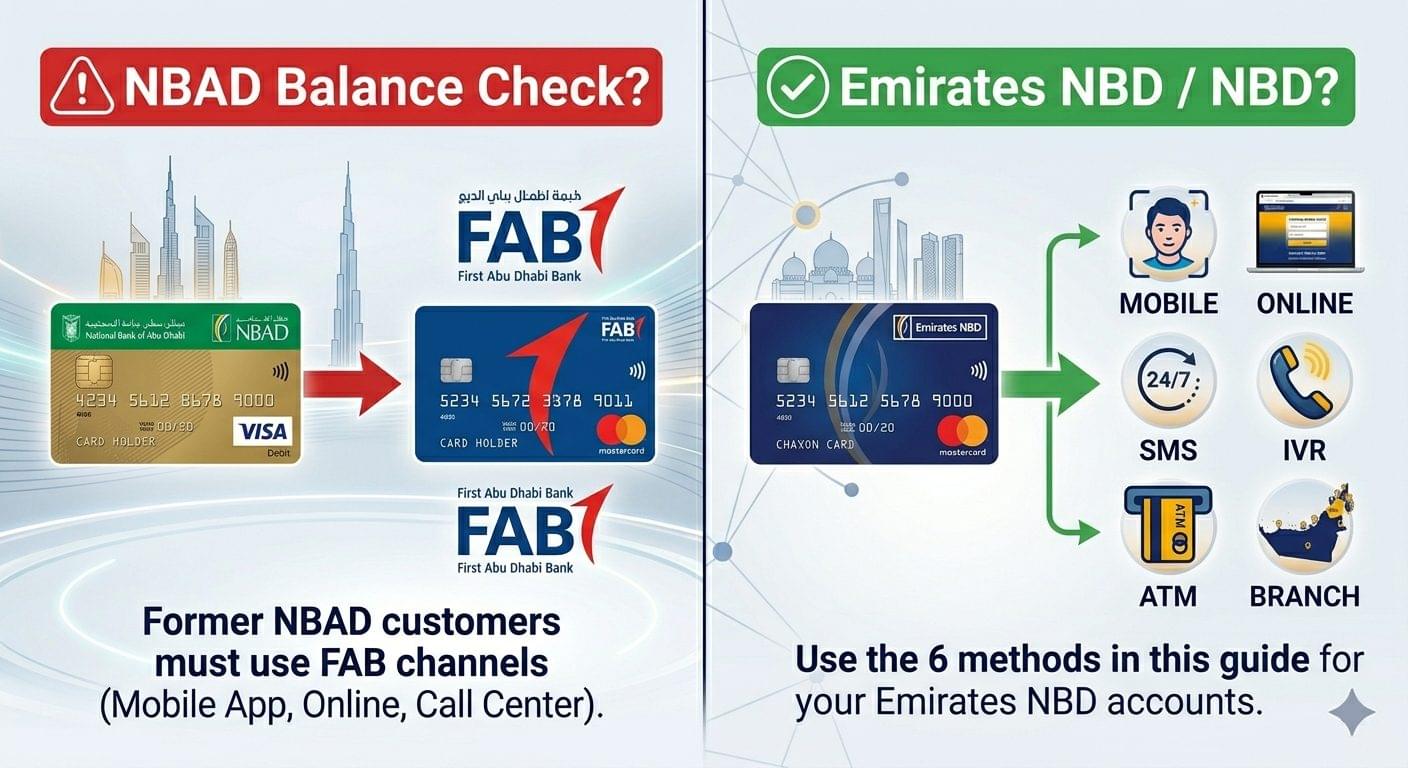
NBAD (National Bank of Abu Dhabi) merged with First Gulf Bank (FGB) in April 2017 to form First Abu Dhabi Bank (FAB), the largest bank in the UAE by total assets, as confirmed by the UAE Central Bank.
Emirates NBD and NBAD are 2 entirely separate banking institutions with no merger, acquisition, or customer-transfer relationship. Emirates NBD is headquartered in Dubai and majority-owned by the Investment Corporation of Dubai. First Abu Dhabi Bank (FAB), the successor to NBAD, is headquartered in Abu Dhabi and majority-owned by the Abu Dhabi Investment Council.
Customers searching for “NBAD balance check” or “NBAD bank balance enquiry” in 2026 fall into 2 categories:
- Former NBAD customers now banking with First Abu Dhabi Bank (FAB). Balance enquiry is performed via the FAB mobile app, FAB online banking at bankfab.com, or by calling FAB’s customer service at 600 52 5500.
- Emirates NBD customers who use the “NBAD” or “NBD” search term when looking for Emirates NBD balance enquiry methods. Emirates NBD balance check is performed through the 6 methods described in this guide.
How to Activate Emirates NBD Mobile Banking for Balance Check
Activate Emirates NBD mobile banking by completing the online registration process through the Emirates NBD mobile app or at emiratesnbd.com, using the Customer ID, Emirates ID, account number, and registered UAE mobile number.
Steps to activate Emirates NBD mobile banking:
- Download the Emirates NBD app from the Apple App Store or Google Play Store
- Tap “New User? Register Now”
- Enter the Emirates ID number, Emirates NBD account number, and the mobile number registered with the bank
- Create a Customer ID and set a secure password to complete registration
A UAE mobile number linked to the Emirates NBD account is required to complete registration. Complete mobile banking activation at any Emirates NBD branch, if online registration fails due to a record mismatch.
Emirates NBD Balance Check Without Internet
Emirates NBD balance is checked without internet through 3 official channels: SMS banking, IVR phone banking at 600 54 0000, and Emirates NBD ATM balance enquiry.
Each offline method requires identity verification through a registered mobile number, a 4-digit IVR PIN, or a 4-digit ATM PIN respectively. SMS banking and IVR banking operate on any UAE mobile network, making them reliable balance enquiry options during internet outages or while travelling within areas with limited connectivity.
Why Does Emirates NBD App Show an Incorrect Balance?
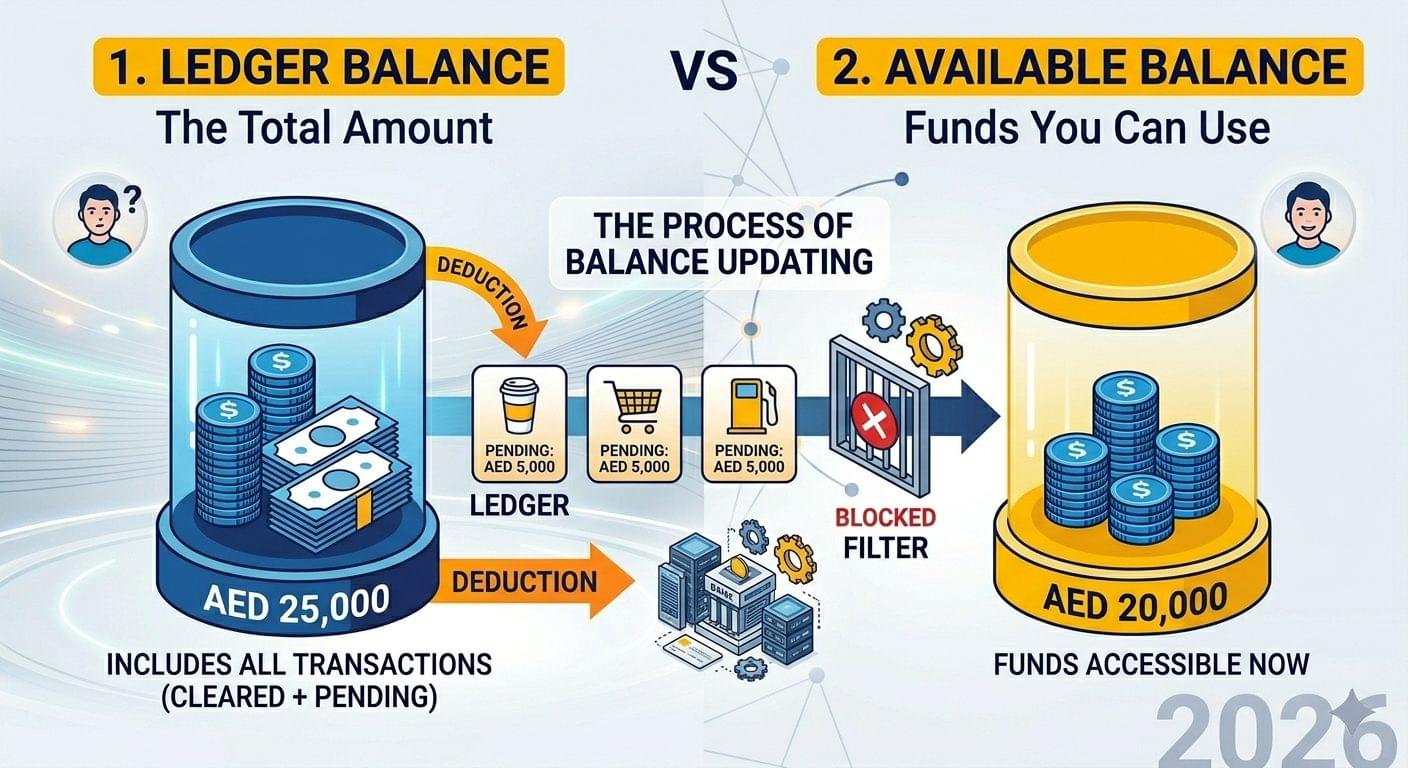
Emirates NBD app balance discrepancies occur due to 3 common reasons: pending transactions, interbank transfer settlement delays, and outdated cached session data.
Pending transactions Payments and transfers authorized but not yet settled by the recipient bank appear as deducted amounts. The “available balance” reflects the post-deduction figure, while the “ledger balance” shows the pre-settlement total. Both figures are displayed separately in the Emirates NBD app.
Interbank transfer settlement delays Transfers between Emirates NBD and other UAE banks, including ADCB, Mashreq, and RAK Bank, process through the UAE Funds Transfer System (UAEFTS) operated by the UAE Central Bank. Settlement timelines vary based on transaction type and processing hours.
Outdated cached session data Log out of the Emirates NBD app and log back in to refresh the balance display, if the figure appears inconsistent with recent transactions.
Emirates NBD Business Account Balance Enquiry
Emirates NBD business account balance enquiry is performed through the Emirates NBD Business Online Banking portal at emiratesnbd.com/en/business, which is separate from the personal banking portal.
Emirates NBD Business Online Banking provides real-time balance monitoring, multi-account dashboards, corporate transaction reports, and bulk payment history for registered business account holders.
Contact Emirates NBD Business Banking at 600 54 0000 and select the Business Banking option to activate business online banking access, if the service is not yet registered for the corporate account.
Frequently Asked Questions: Emirates NBD Balance Enquiry
Does Emirates NBD Charge a Fee for Balance Enquiry?
Emirates NBD charges no fee for balance enquiries performed via the mobile app, online banking portal, SMS banking, IVR phone banking at 600 54 0000, and Emirates NBD ATMs. Fees for balance enquiries at non-Emirates NBD ATMs are listed in the Emirates NBD Schedule of Charges at emiratesnbd.com/en/personal/rates-and-fees.
What Is the Emirates NBD Balance Enquiry Phone Number?
The Emirates NBD balance enquiry phone number is 600 54 0000, which connects to the 24/7 IVR phone banking system for automated balance checks on current accounts, savings accounts, credit card accounts, and loan accounts.
Is Emirates NBD SMS Balance Enquiry Available Without the App?
Emirates NBD SMS balance enquiry operates independently of the mobile app and requires only a registered UAE mobile number linked to the account. The SMS command format and short code are confirmed during SMS banking activation and published at emiratesnbd.com.
Is Emirates NBD the Same as NBAD?
Emirates NBD and NBAD are 2 different UAE banking institutions. NBAD (National Bank of Abu Dhabi) merged with First Gulf Bank in 2017 to become First Abu Dhabi Bank (FAB). Emirates NBD is a separate entity headquartered in Dubai with no connection to the NBAD–FAB merger.
Can Emirates NBD Balance Be Checked from Outside the UAE?
Emirates NBD balance is checked from outside the UAE through 3 channels: the Emirates NBD mobile app (with internet access), the online banking portal at emiratesnbd.com, and IVR phone banking by calling +971 4 631 0000 from an international number.
Conclusion
Emirates NBD provides 6 official balance enquiry channels for UAE account holders in 2026: the mobile app, online banking portal at emiratesnbd.com, SMS banking, IVR phone banking at 600 54 0000, ATM network, and branch service.
The mobile app and online banking portal deliver real-time balance data with internet access. SMS banking and IVR phone banking at 600 54 0000 provide balance enquiry access without internet, on any UAE mobile network. ATM balance enquiry serves users who require a printed balance receipt.
Customers searching for “NBAD balance check” find 2 distinct answers: former NBAD customers now access accounts through First Abu Dhabi Bank (FAB) at bankfab.com or 600 52 5500, while Emirates NBD customers use the 6 methods described in this guide.
Activate Emirates NBD SMS banking and set an IVR PIN through the Emirates NBD mobile app or branch both enable balance enquiry access across all network conditions, independent of internet availability.